Automated invoicing for Back Market and Refurbed

Stop making invoices by hand. Loopmerce does it for every order.

Loopmerce connects to your Back Market and Refurbed accounts, generates a branded PDF invoice for every order and uploads it back to the marketplace automatically every 15 minutes. No spreadsheets, no manual uploads and no missed invoice records.

  • First 50 invoices free
  • No monthly base fee
  • Credit notes always free

Your first 50 invoices are free. No card required. Credit notes are always free.

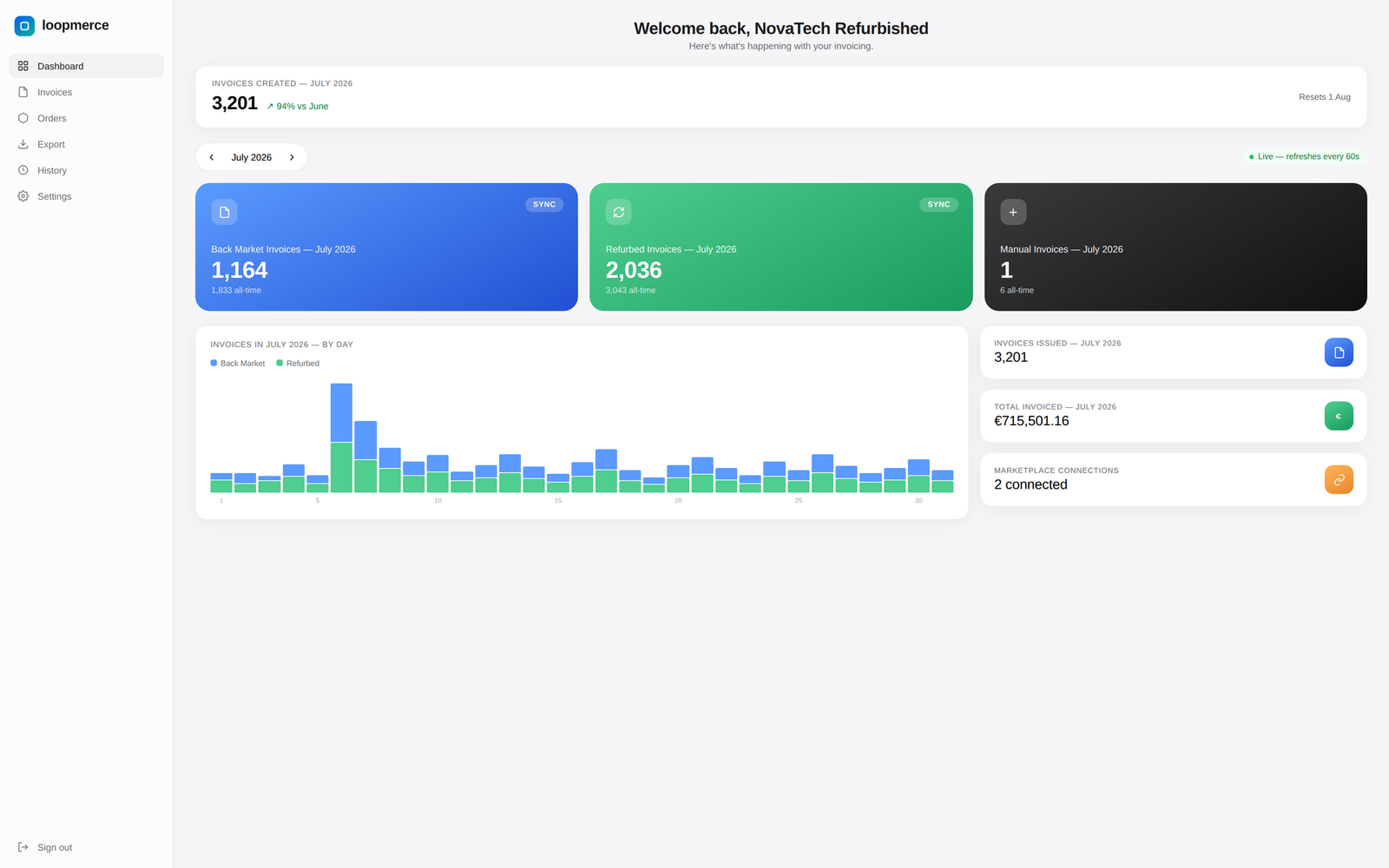
Loopmerce Invoicing dashboard showing synced marketplace orders and generated invoices
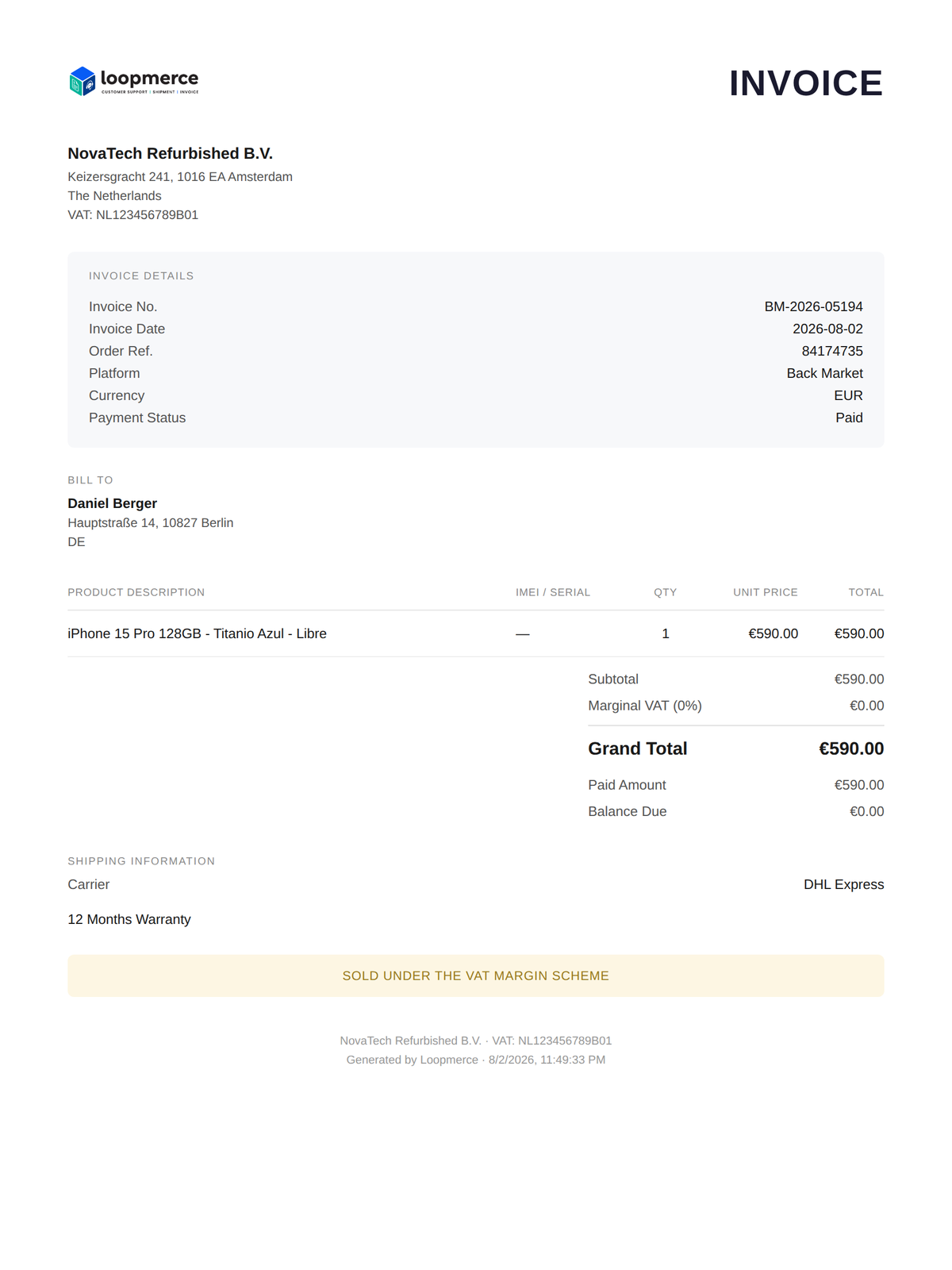
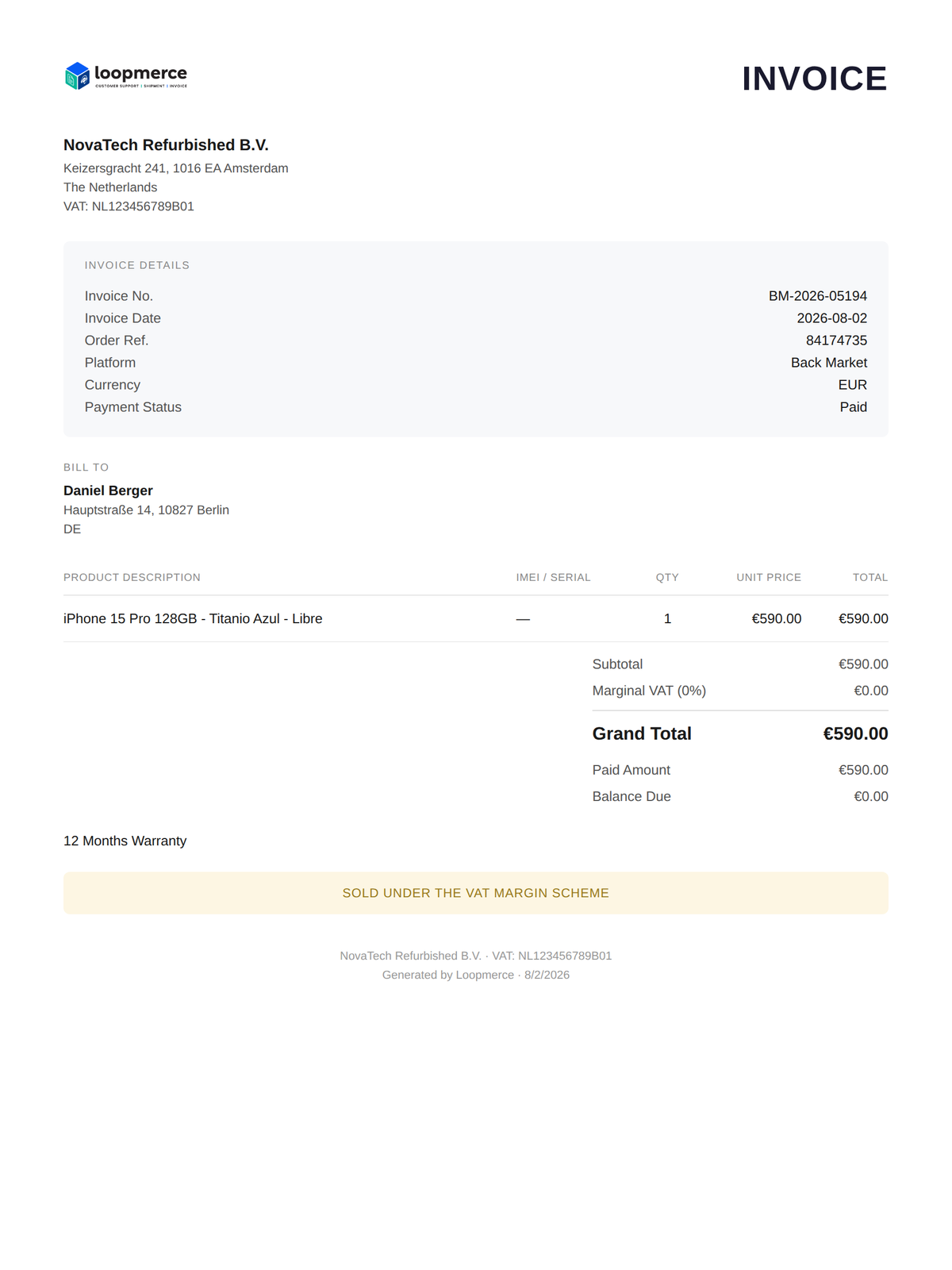
Branded PDF invoice generated by Loopmerce for a Back Market order
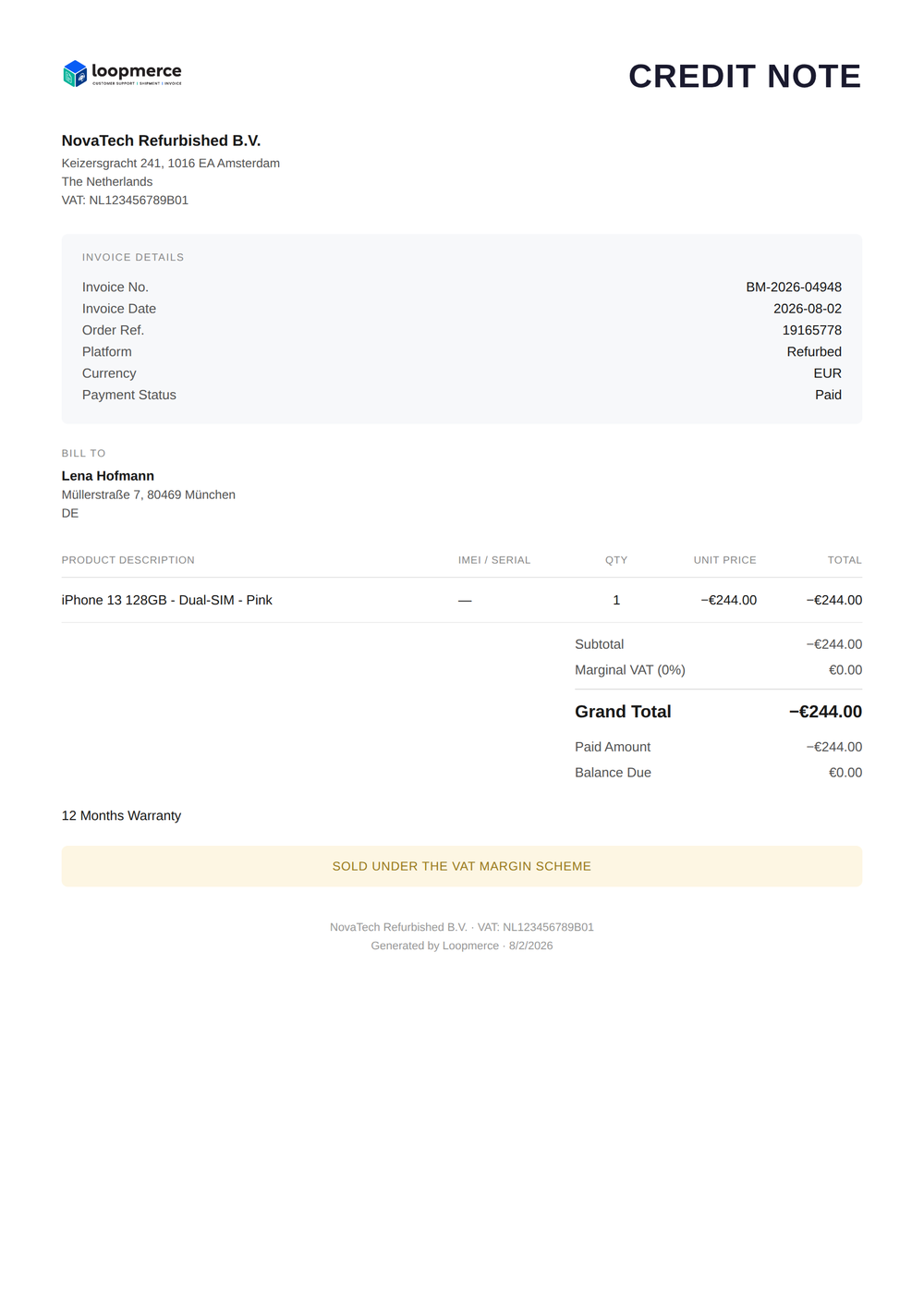
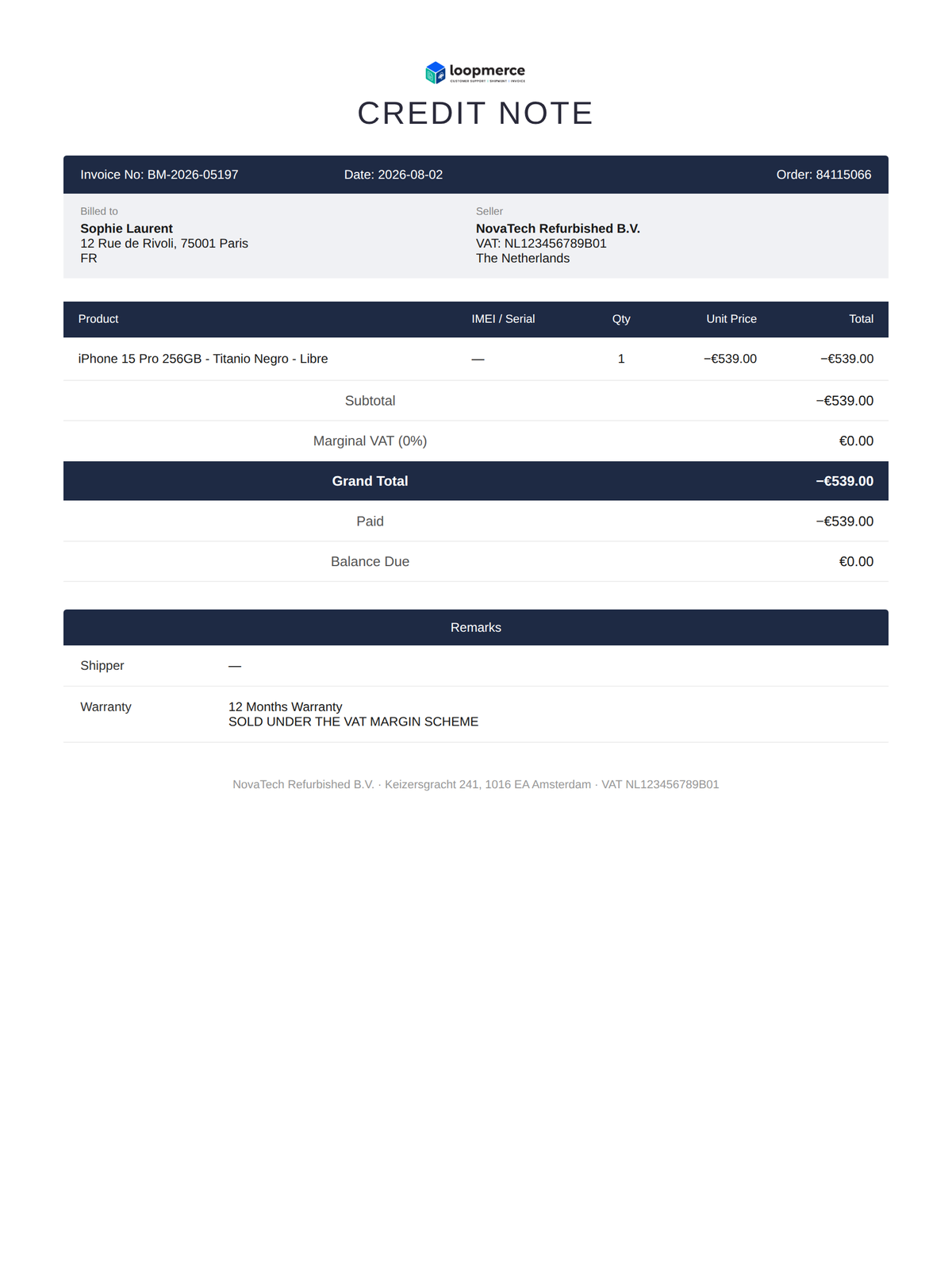
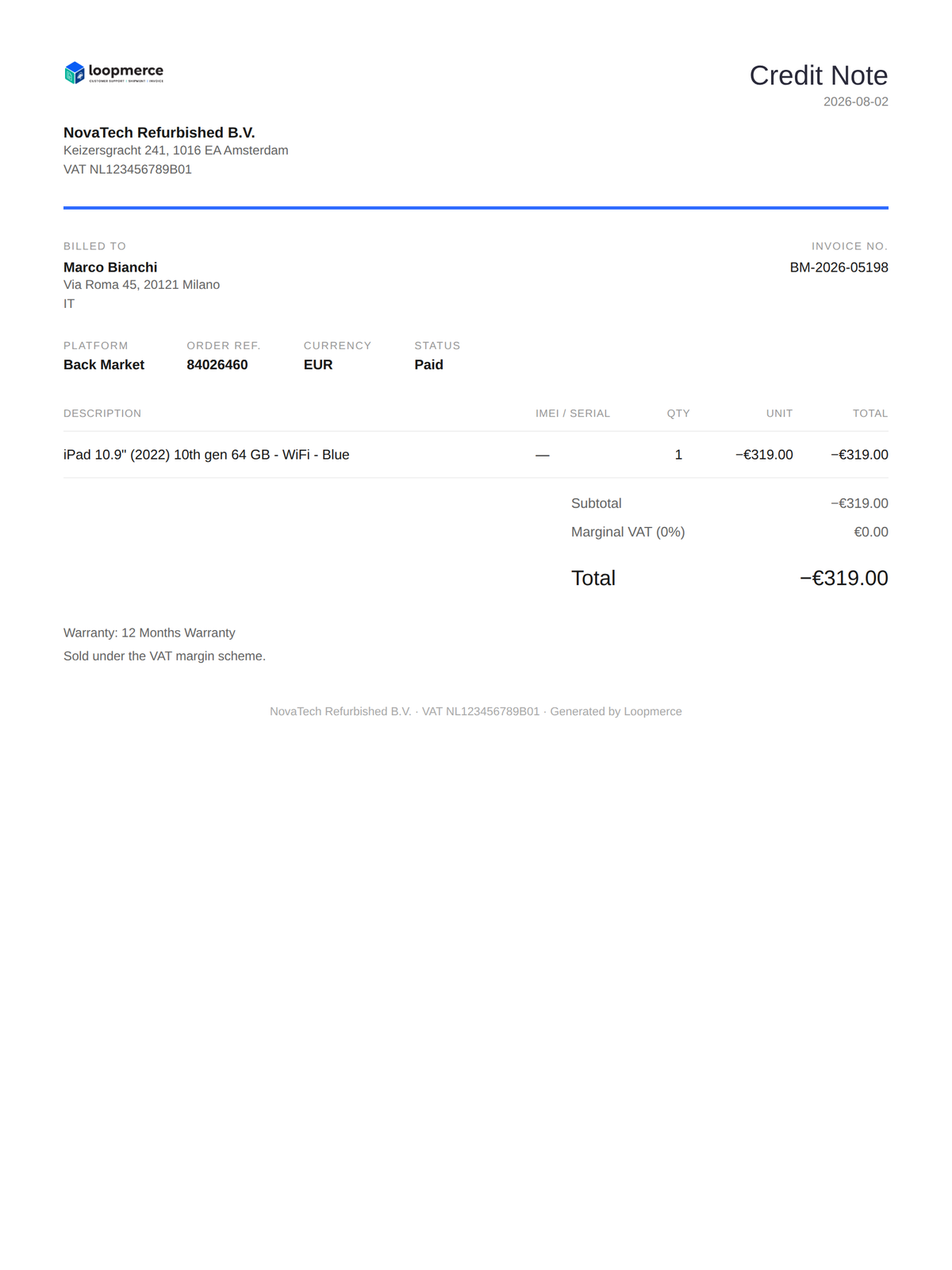
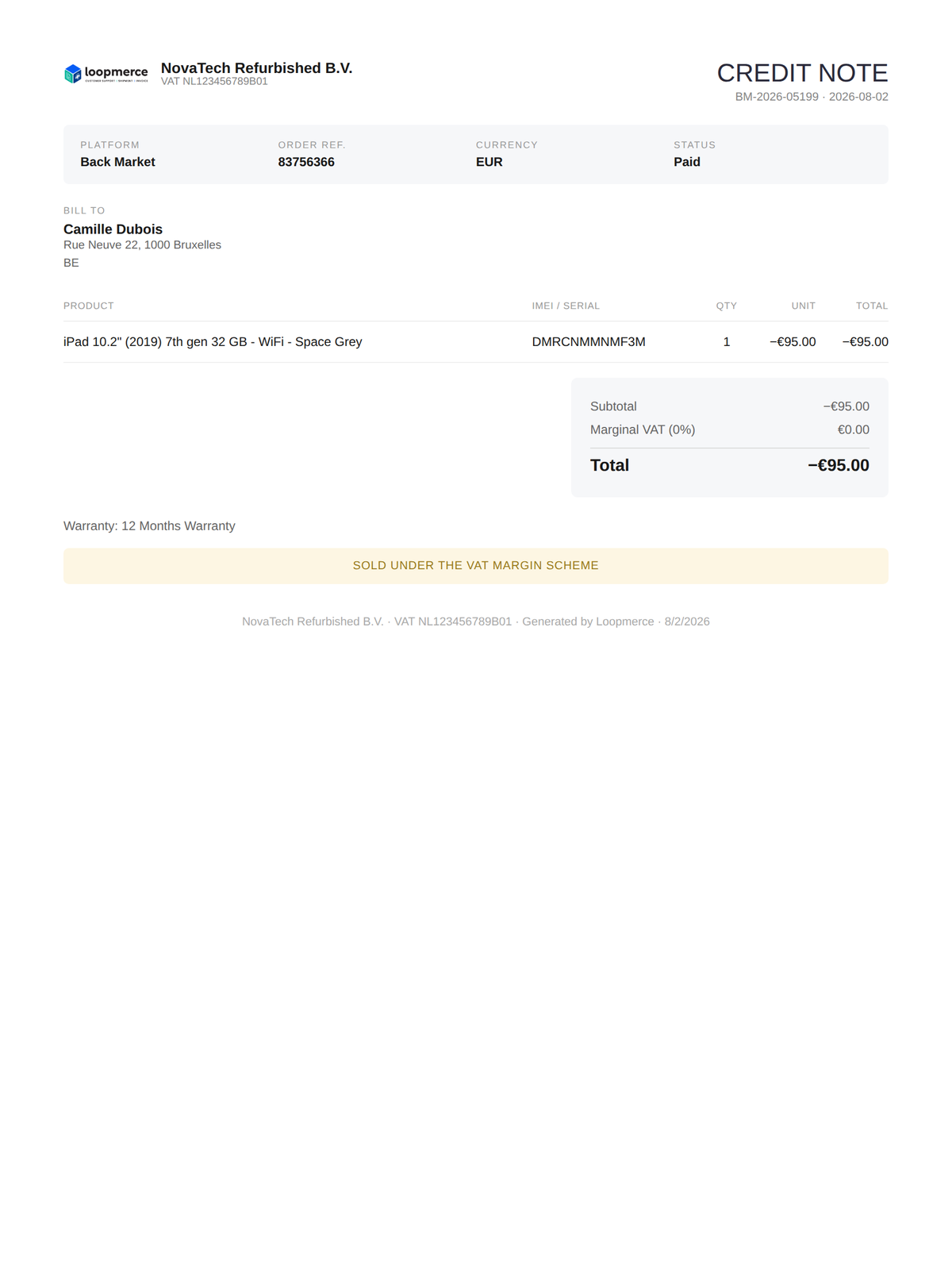
Branded credit note generated for a returned order
Order synced Invoice generated Uploaded to marketplace Upload verified Credit note ready

Built for the marketplaces you already sell on

Connect once and let Loopmerce handle the invoice workflow in the background.

Loopmerce is an independent product and is not owned or endorsed by Back Market or Refurbed.

The manual invoice problem

Marketplaces require an invoice for every order. Your team should not have to create each one.

As order volume grows, manual invoice creation becomes repetitive, slow and easy to get wrong. Returns and cancellations create a second document problem, while generic accounting tools do not understand marketplace order states.

Manual re-entry

Customer details, products, prices, grades and order references are copied from marketplace orders by hand.

Growing order volume

Hundreds or thousands of monthly orders make one-by-one invoicing unrealistic.

Missing marketplace documents

Late or missing invoices create operational and compliance headaches.

Forgotten credit notes

Returned, refunded and cancelled orders require documents that are easy to overlook.

Generic accounting tools

Traditional systems are not designed around Back Market and Refurbed order formats.

Time that does not scale

Every hour spent hand-building documents is an hour not spent growing the business.

Loopmerce turns the marketplace order into the correct document without another manual workflow.

Invoicing on autopilot

From marketplace order to verified invoice attachment.

Loopmerce checks for new orders every 15 minutes, pulls the relevant marketplace data, creates the branded PDF invoice and uploads it directly to the order.

  1. Order synced
  2. Customer and order data read
  3. Invoice document generated
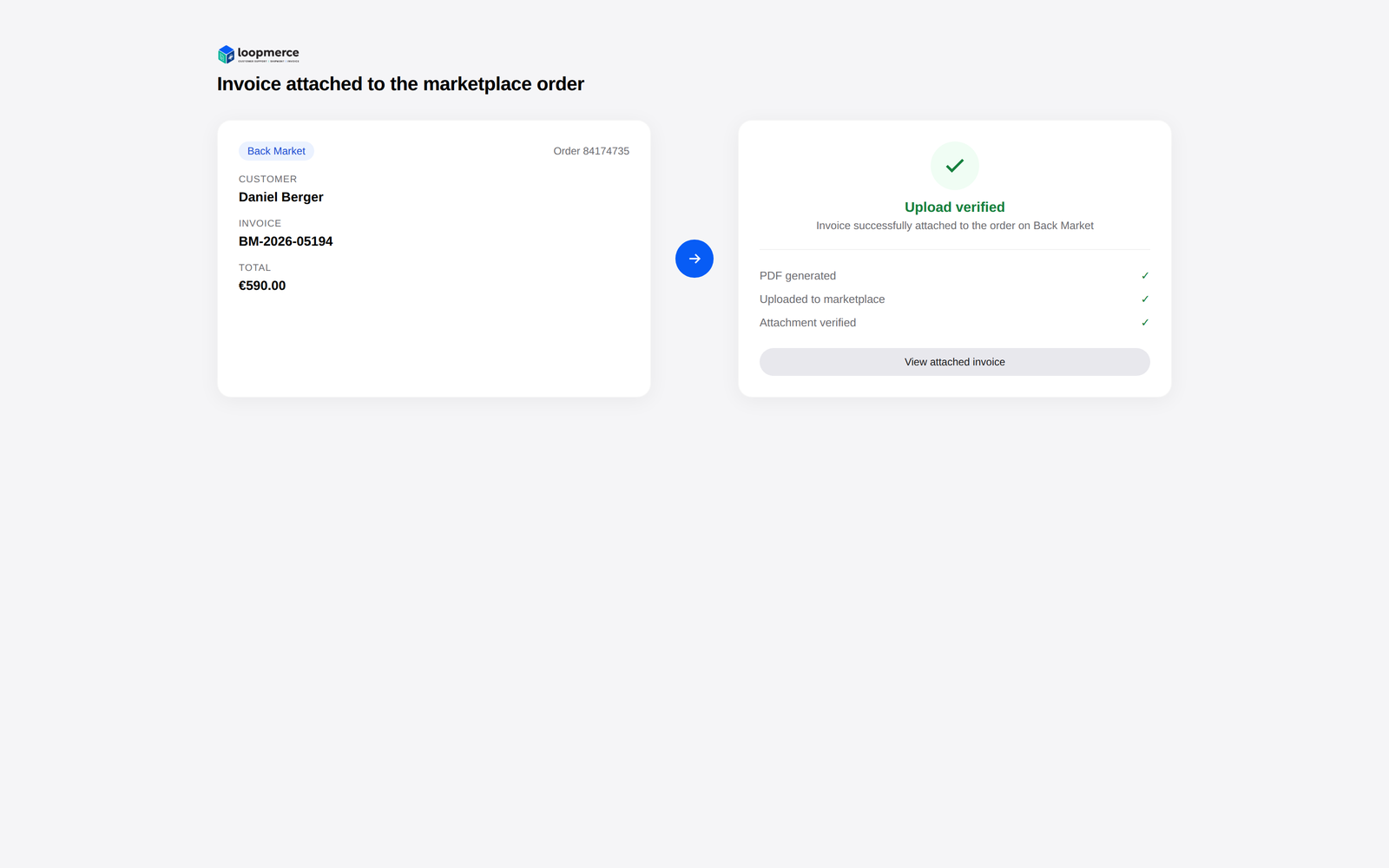
  4. Invoice uploaded to marketplace
  5. Upload verified
No manual downloading No manual re-uploading Verified attachment Branded documents Automatic 15-minute sync
Invoice uploaded to the marketplace order and verified
Returns and cancellations

When an order comes back, the paperwork follows.

Loopmerce detects returned, refunded and cancelled orders, identifies which invoiced orders still need a credit note and keeps the follow-up document connected to the original invoice.

  • Returned, refunded and cancelled orders detected
  • "Needs credit note" flagged against the original invoice
  • Create one, or "Create all" in bulk
  • Completed credit note references the original invoice
Credit notes are always free
Branded credit note linked to the original invoice
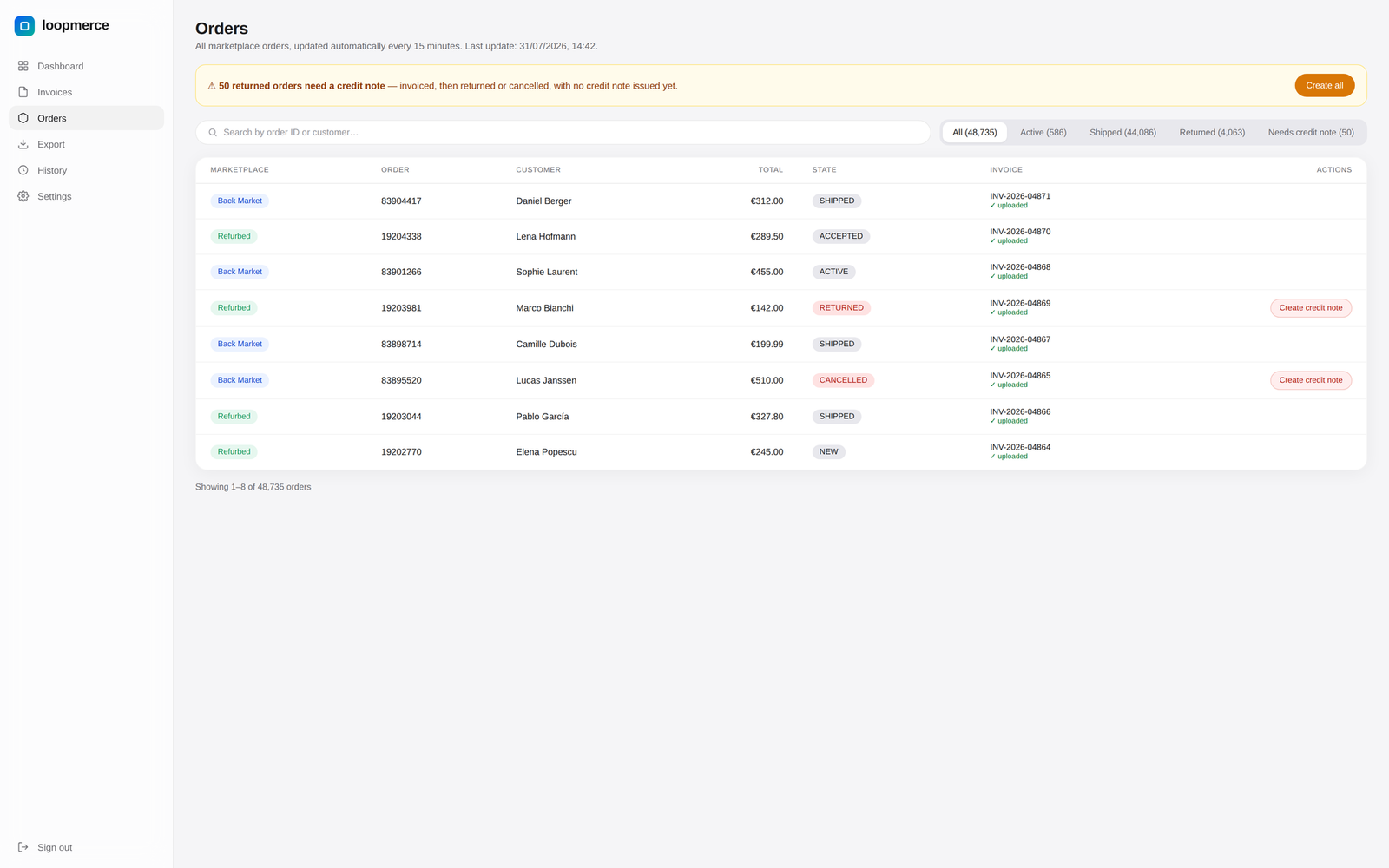
Every order in one place

See which orders are active, shipped, returned or missing a credit note.

Every marketplace order is stored in a searchable operational view with the correct Back Market or Refurbed state and the relevant document actions.

AllActiveShippedReturnedNeeds credit note
  • Search by order ID or customer name
  • Marketplace-native states: active, shipped, refunded, cancelled
  • Row actions: create invoice, create credit note, view, download
Orders dashboard with marketplace, customer, state and invoice columns
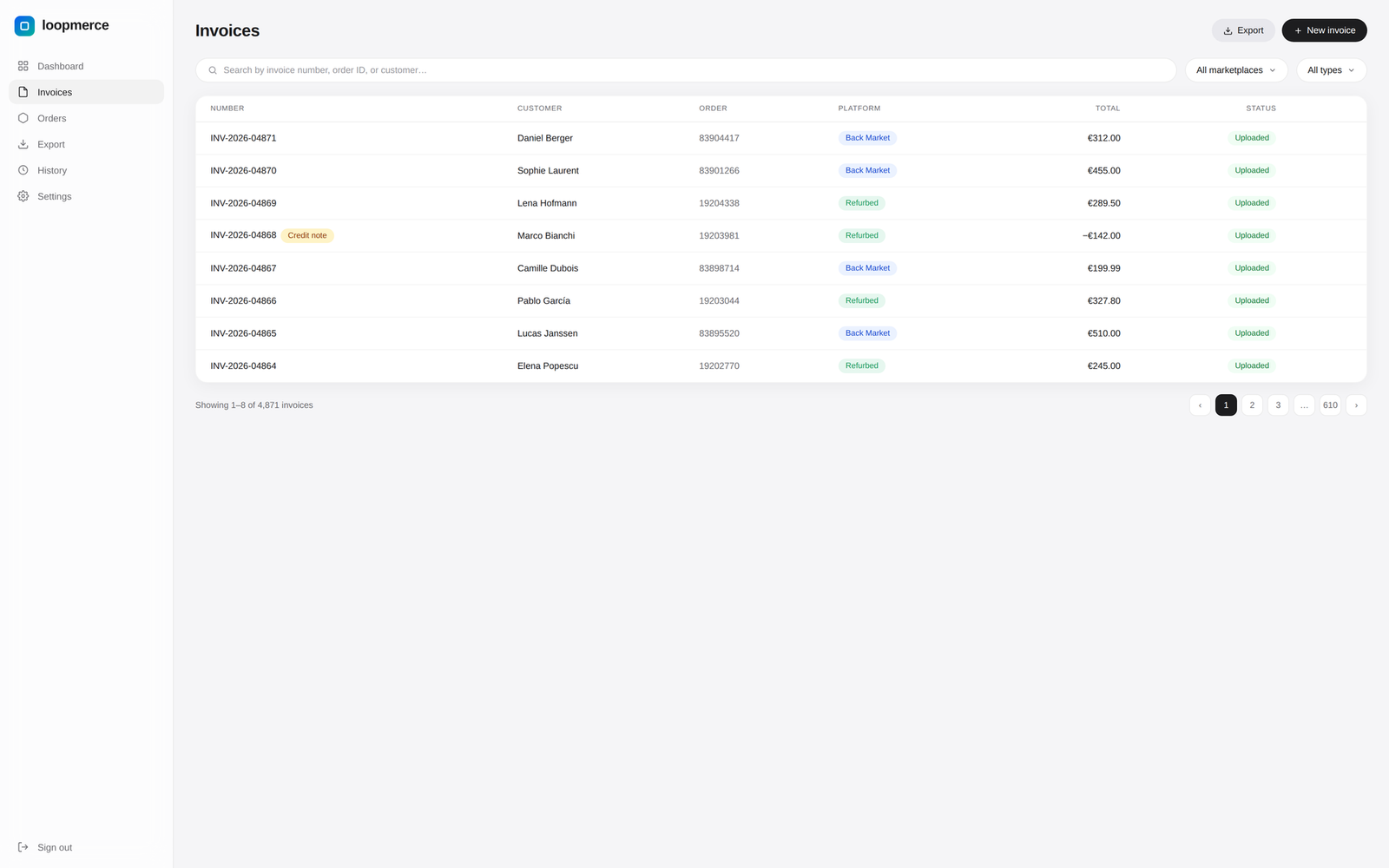
Searchable document history

Find any invoice without searching through folders.

Search every generated invoice or credit note by document number, marketplace order or customer. Filter by marketplace and document type, then download the PDF or inspect its upload status.

  • Search by invoice number, order number or customer
  • Filter by marketplace and document type
  • Upload status: uploaded, local-only or failed upload
Invoice and credit-note management with search, filters and upload status
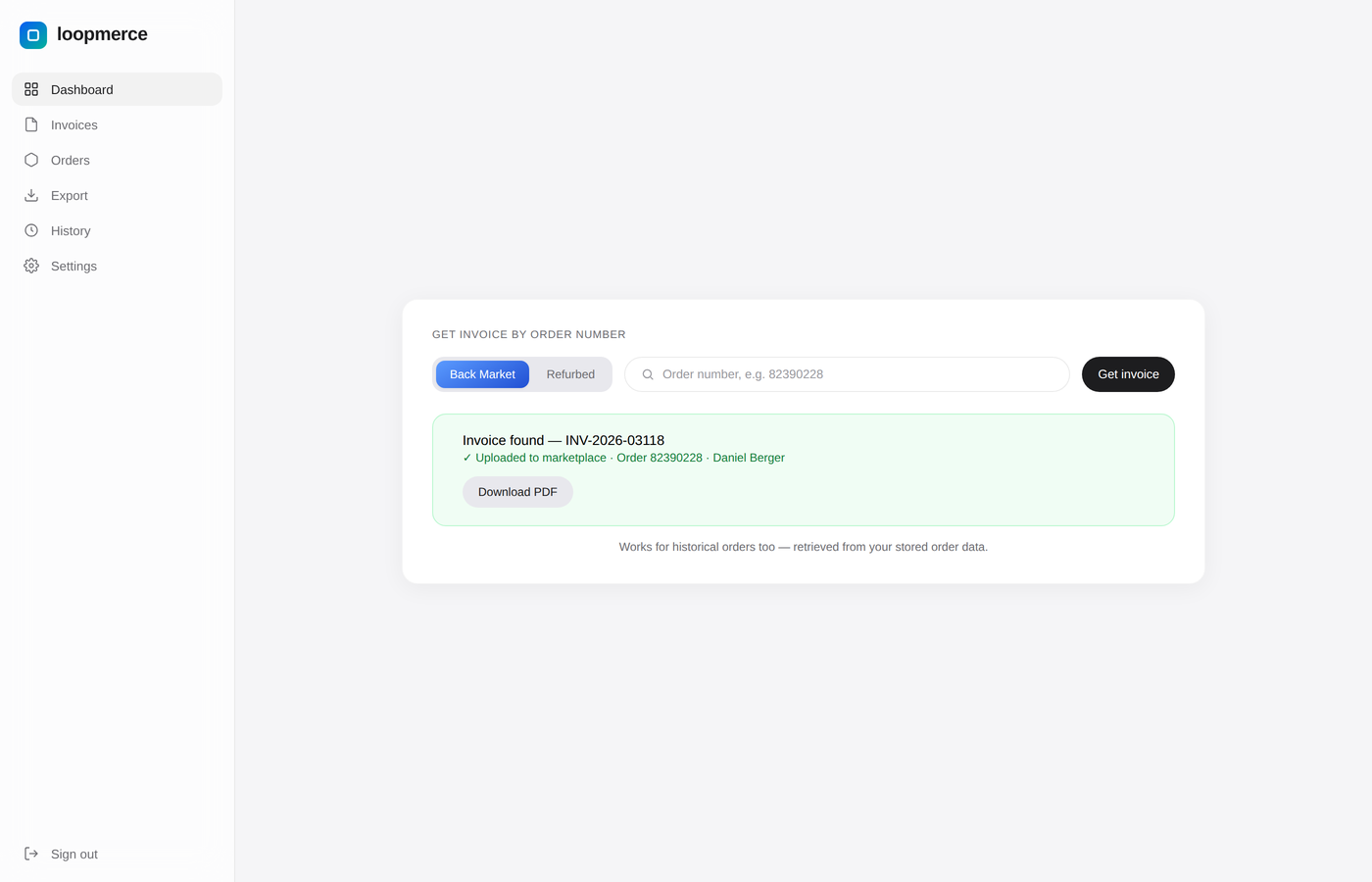
Historical retrieval

Get invoice by order number

Enter any marketplace order number to retrieve its document or generate the invoice, including older historical orders.

Retrieve an invoice by marketplace order number, including historical orders
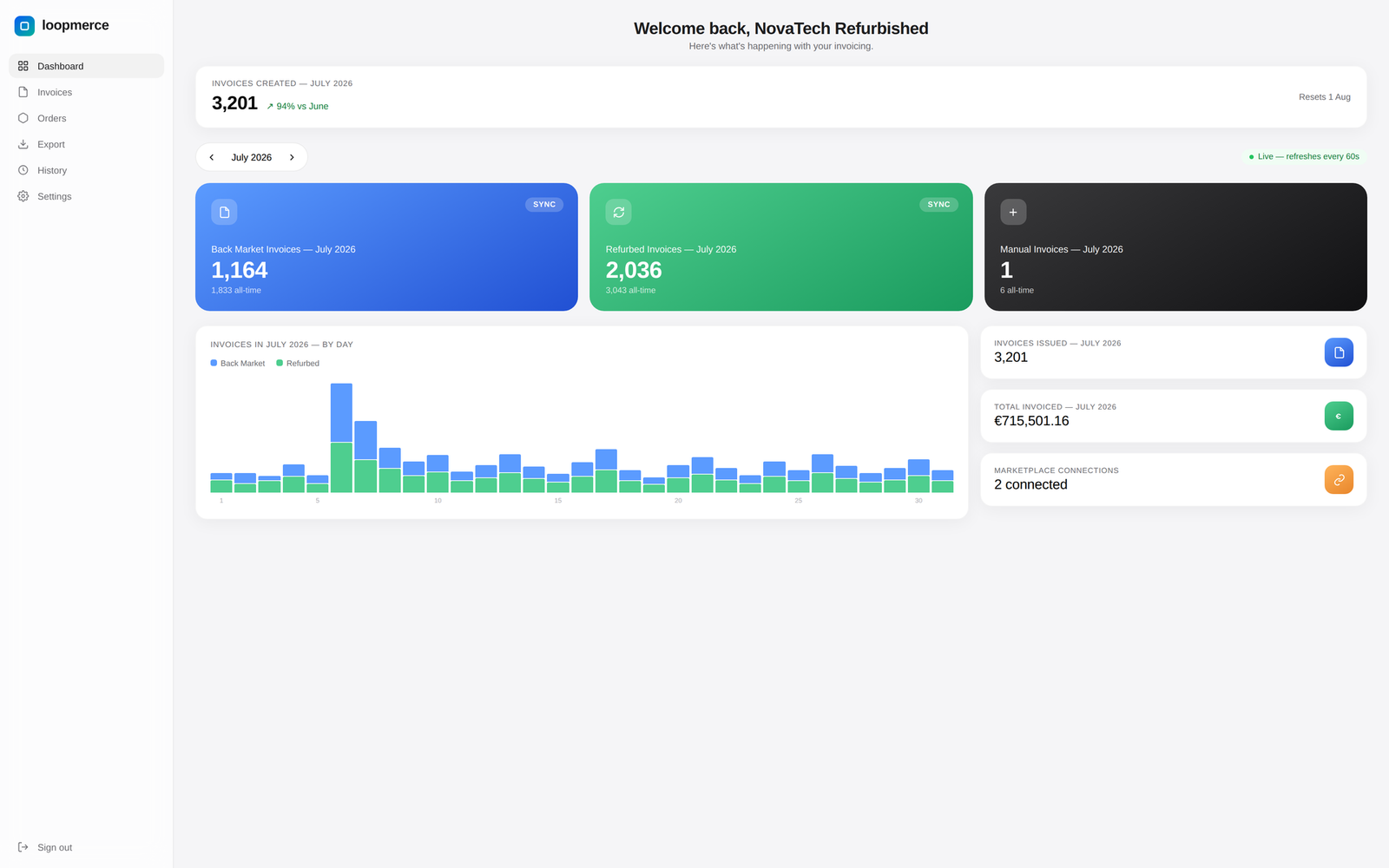
A clear monthly view

Know what was generated, where it came from and what it was worth.

Review invoice activity for any month with live totals, marketplace breakdowns, daily generation trends and invoiced value.

  • Month selector with monthly count and trend vs previous month
  • Total invoiced value with Back Market, Refurbed and manual counts
  • Daily generation chart with a live refresh state

Chart shows fictional demonstration data.

Monthly invoice analytics with totals, marketplace breakdown and daily chart
Nothing happens silently

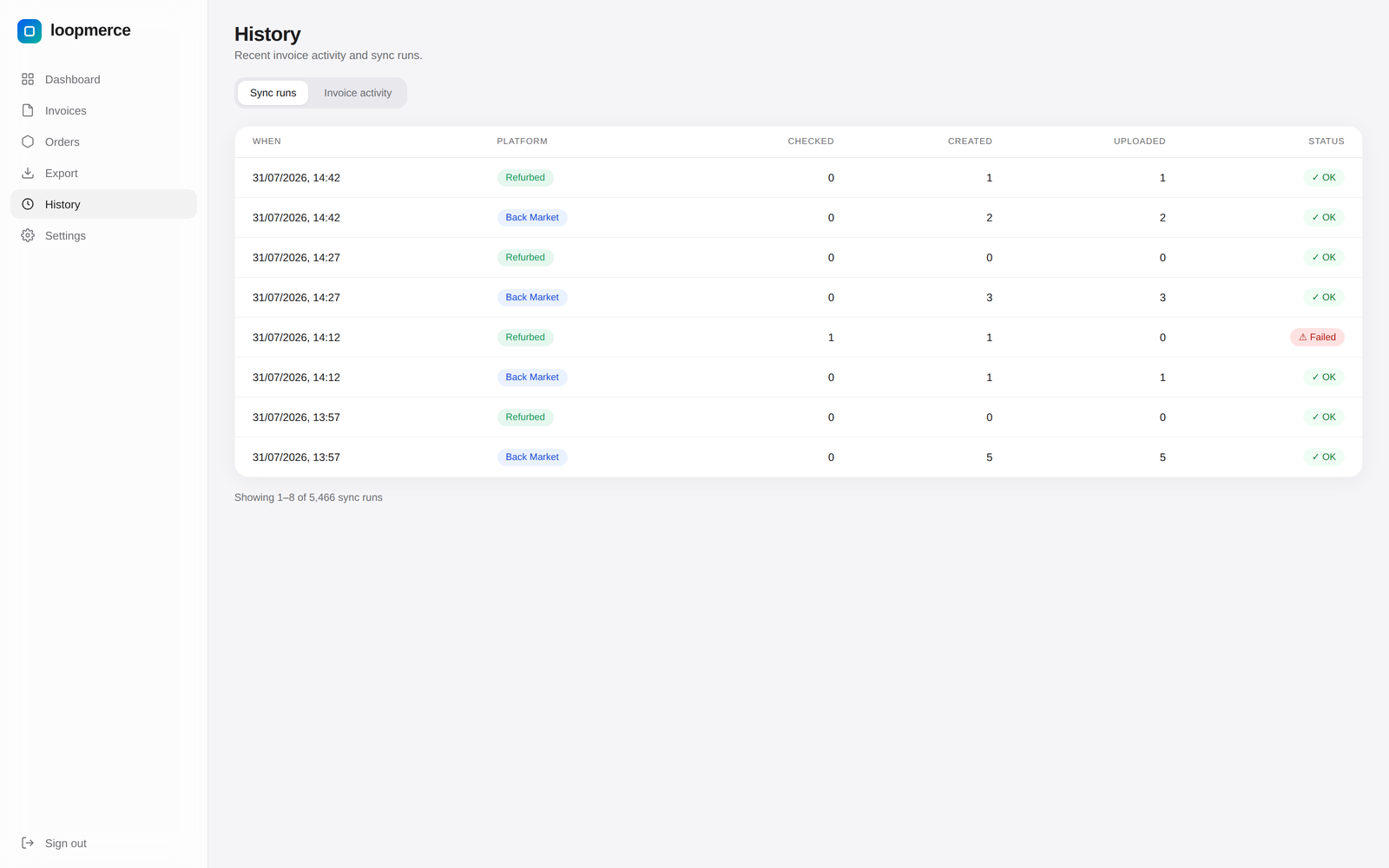
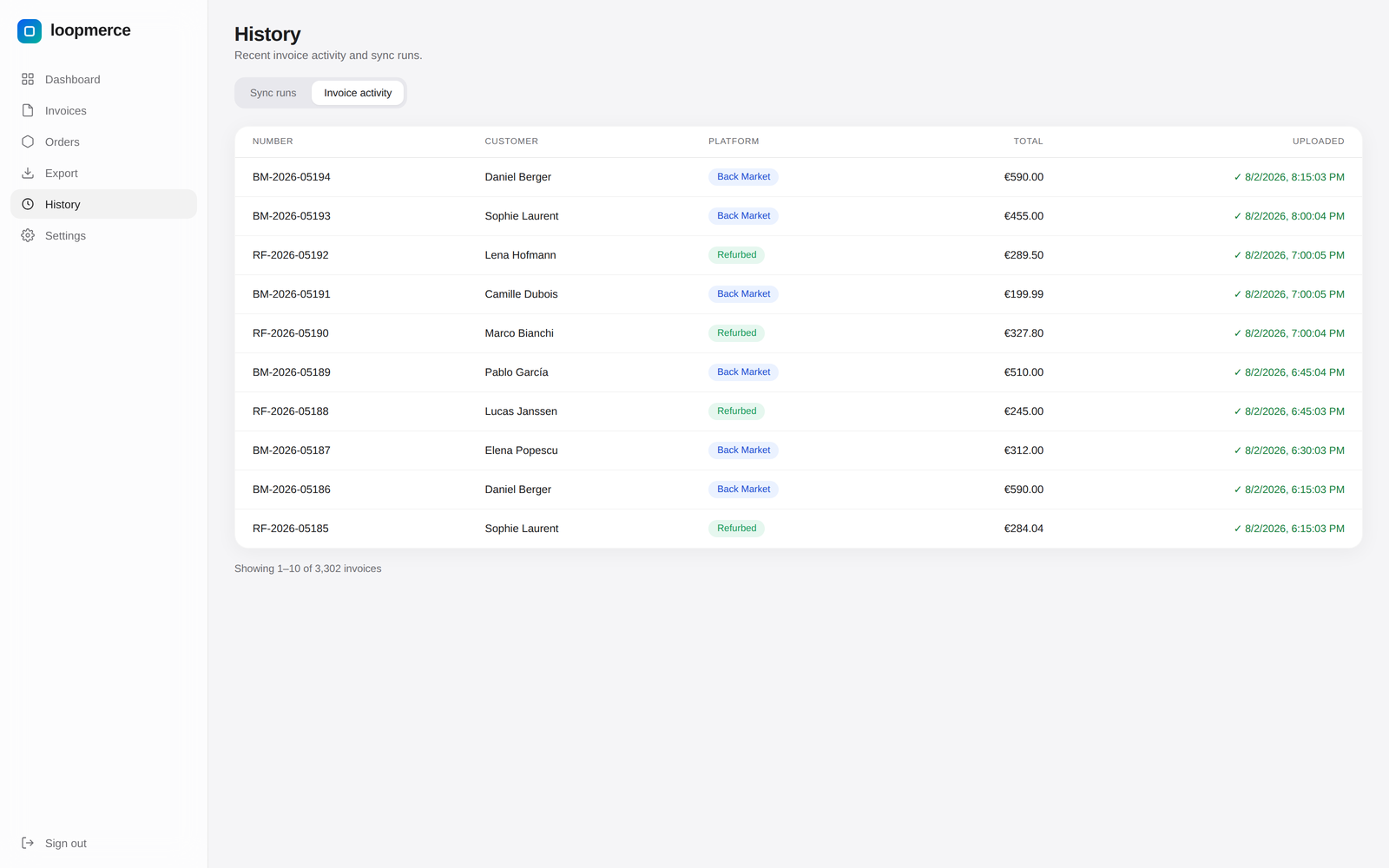
See every sync, document and upload event.

Loopmerce keeps a clear history of marketplace syncs and invoice activity so sellers can see what was checked, generated, uploaded and where attention is required.

Sync history: each marketplace sync with orders checked, invoices created and uploads
Activity history: order synced, invoice generated, PDF created, upload completed and verified, credit note generated and export completed
Clean accountant handoff

Export the month without rebuilding it in a spreadsheet.

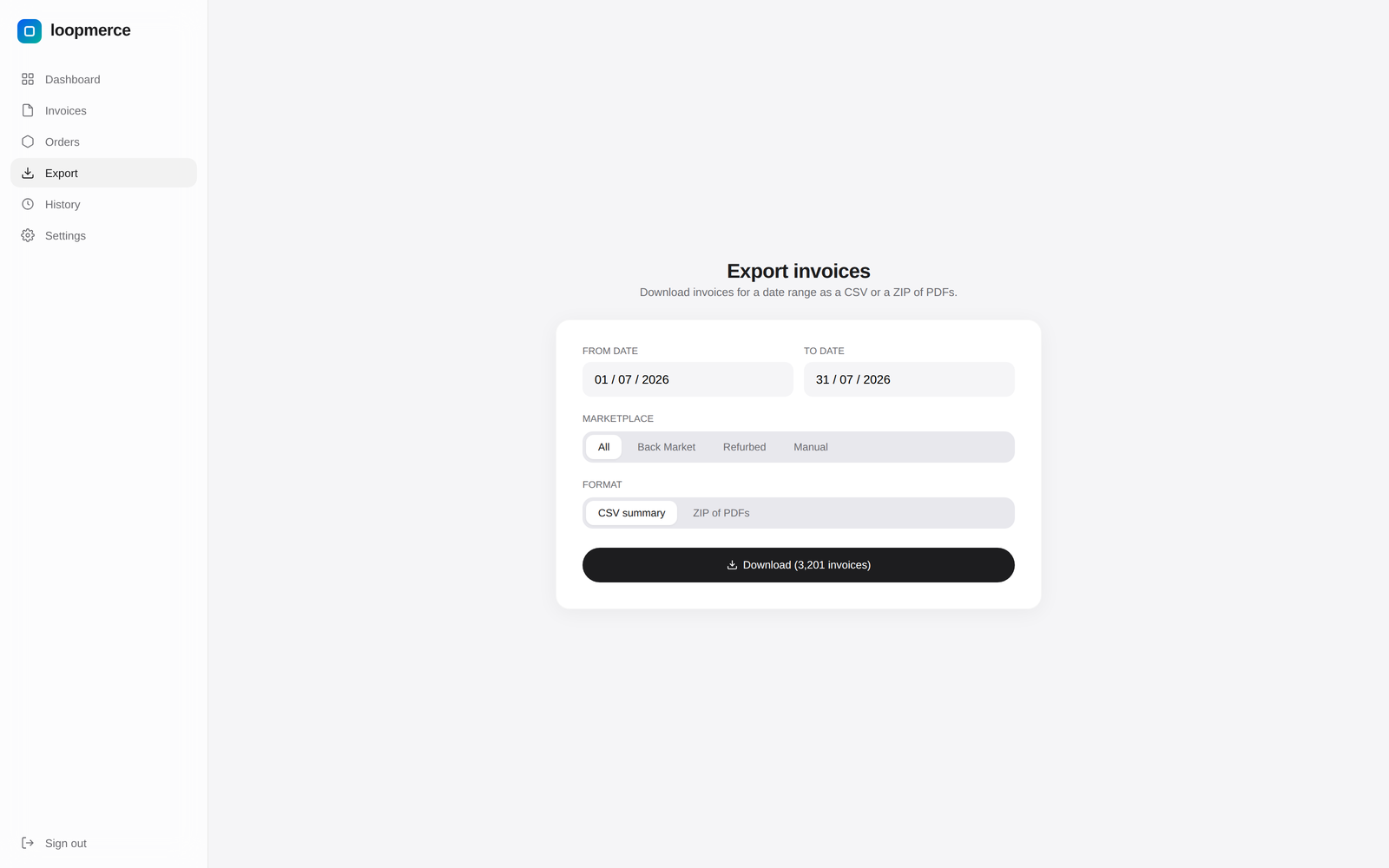
Choose a date range, marketplace and document type, then download a CSV summary or one ZIP containing the relevant PDF documents.

  • Any date range, marketplace-specific
  • Invoice and credit-note filtering
  • CSV summary for accounting data
  • ZIP for full document archives
Accountant export with date range, filters and CSV or ZIP download
When automation is not enough

Create a manual invoice or credit note when the case falls outside the marketplace flow.

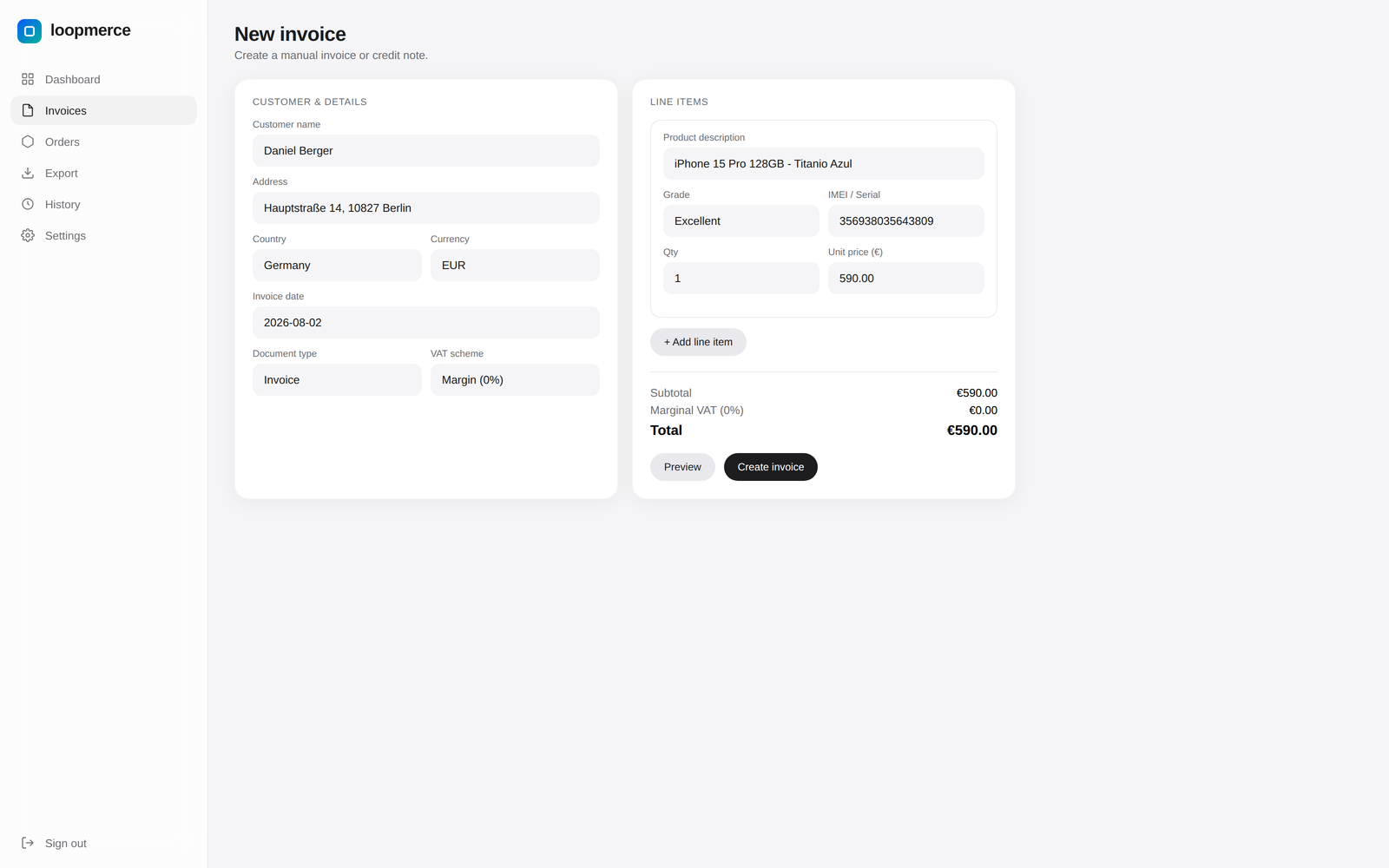
Loopmerce keeps manual document creation available for exceptions without forcing the seller into another invoice tool. Most orders are handled automatically, so this stays an exception workflow.

  • Manual invoice: customer, date, currency, line items, grade, IMEI, quantity, price, VAT
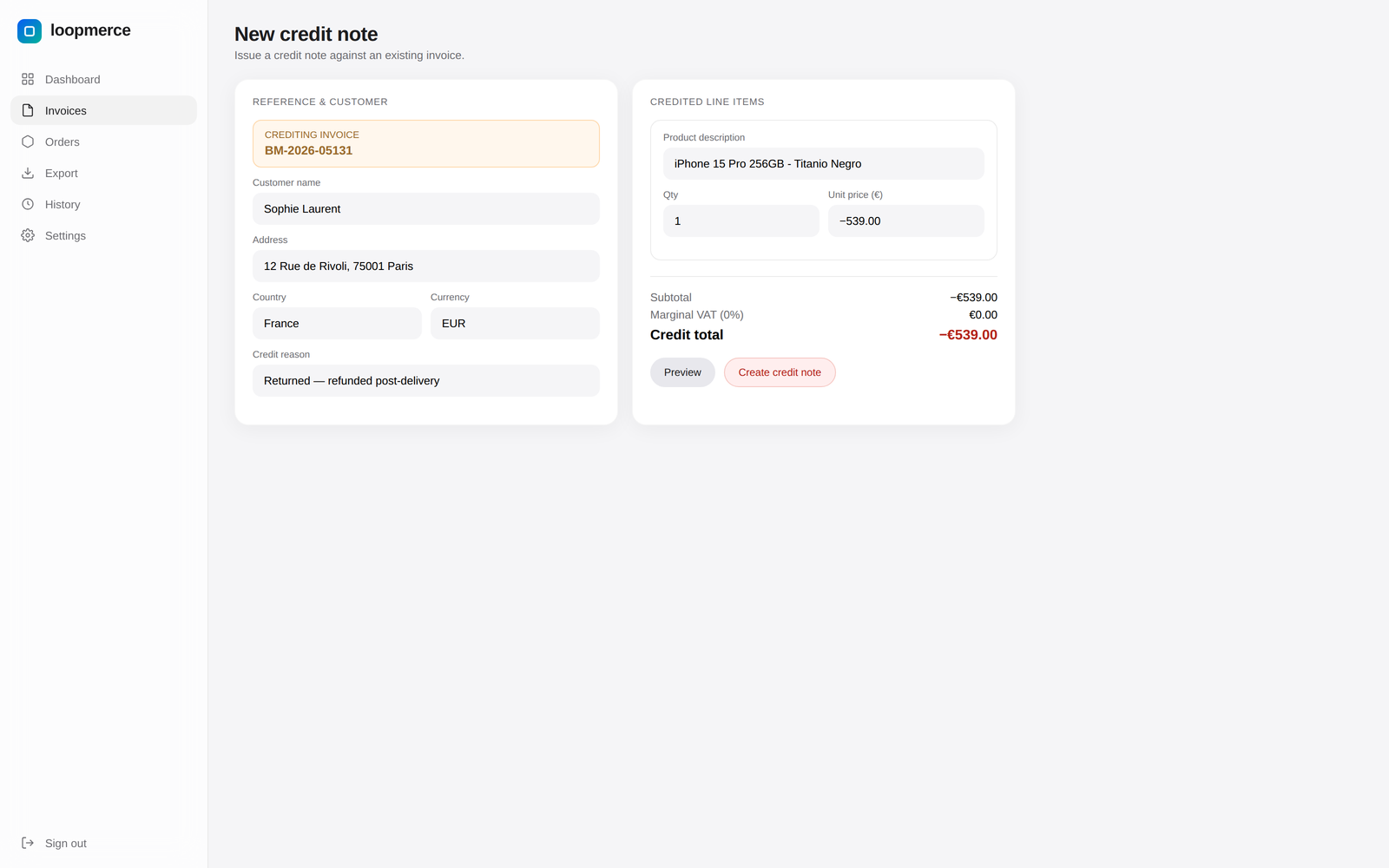
  • Manual credit note: original invoice, credited items, reason, amount, currency
  • Preview before you create
Manual invoice form with customer, line items, product grade, IMEI, quantity, price and VAT
Your business on every document

Choose the invoice style. Loopmerce fills in the rest.

Add the seller's logo and business details once, then apply them automatically to every invoice and credit note.

ModernModern invoice template
ClassicClassic invoice template
MinimalMinimal invoice template
CompactCompact invoice template
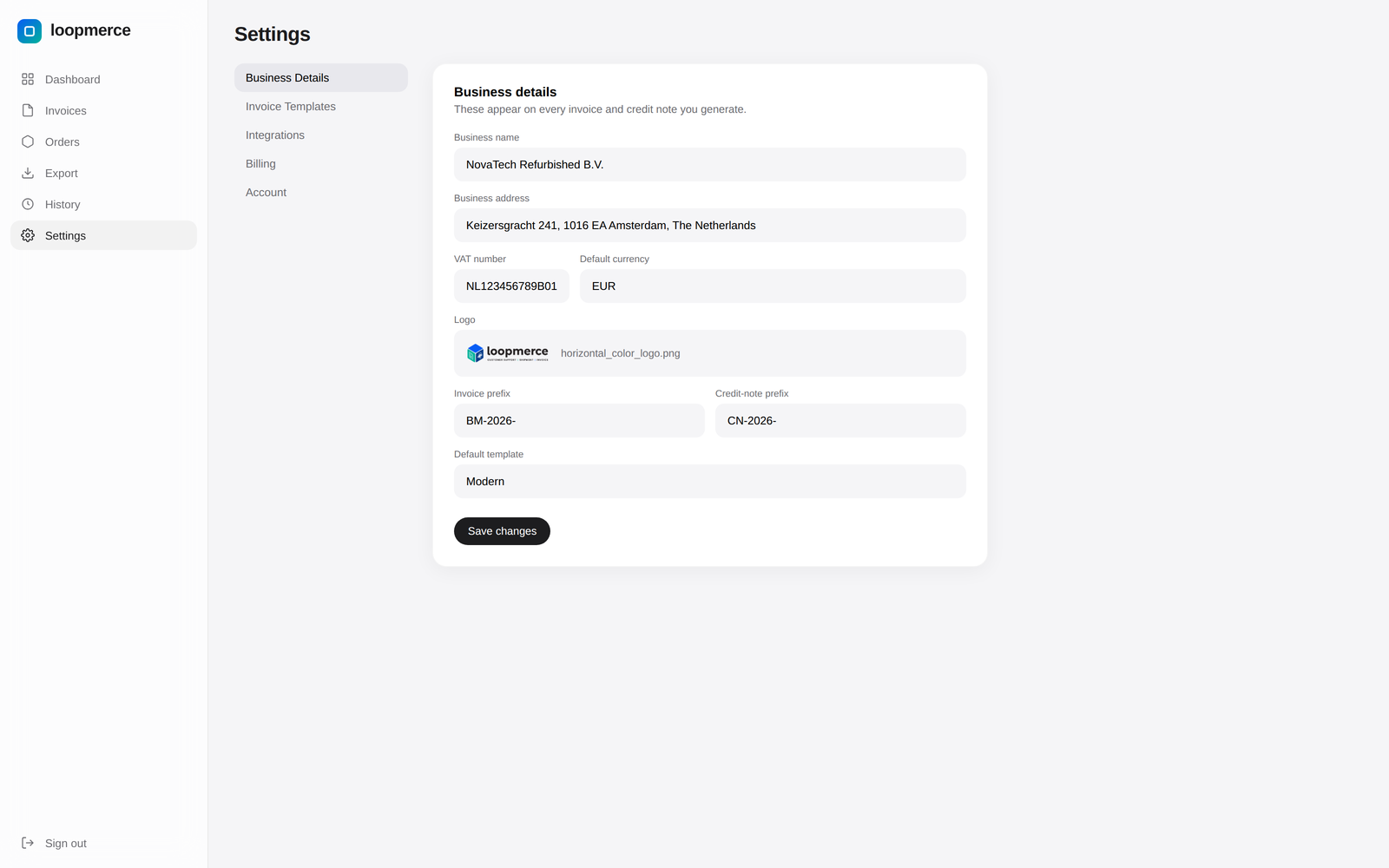
Branding settings: business name, address, VAT number, logo, default currency and default template
Built to keep running

You should know immediately when a connection needs attention.

Loopmerce monitors sync operations, sends an automatic email when a connection fails and provides a live system-status page.

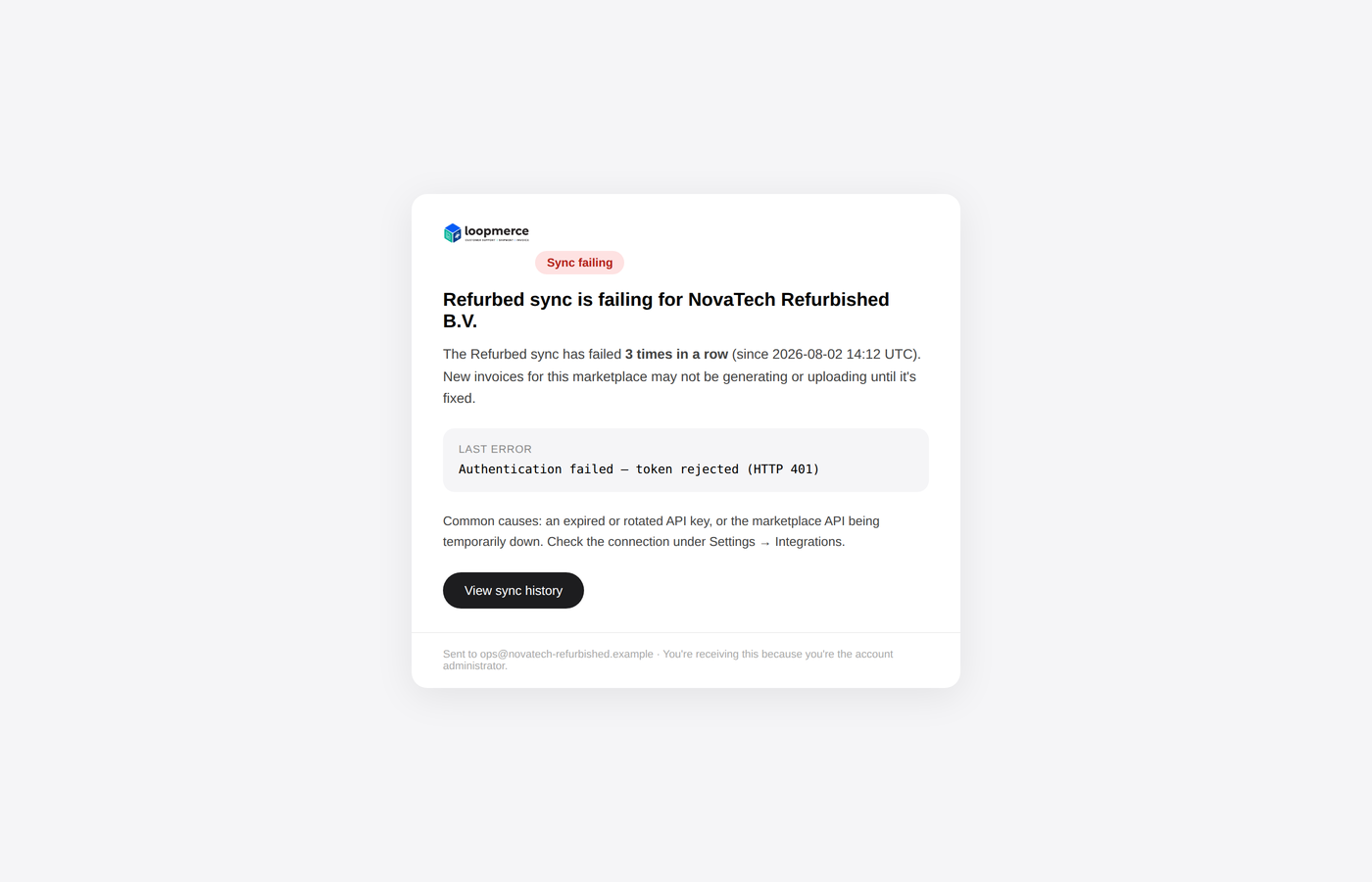
  • Sync-failure email alert: marketplace affected, failure time, recommended action
  • Live service status: generation, marketplace sync, upload and export services
  • Automated hourly backups with verified restore testing

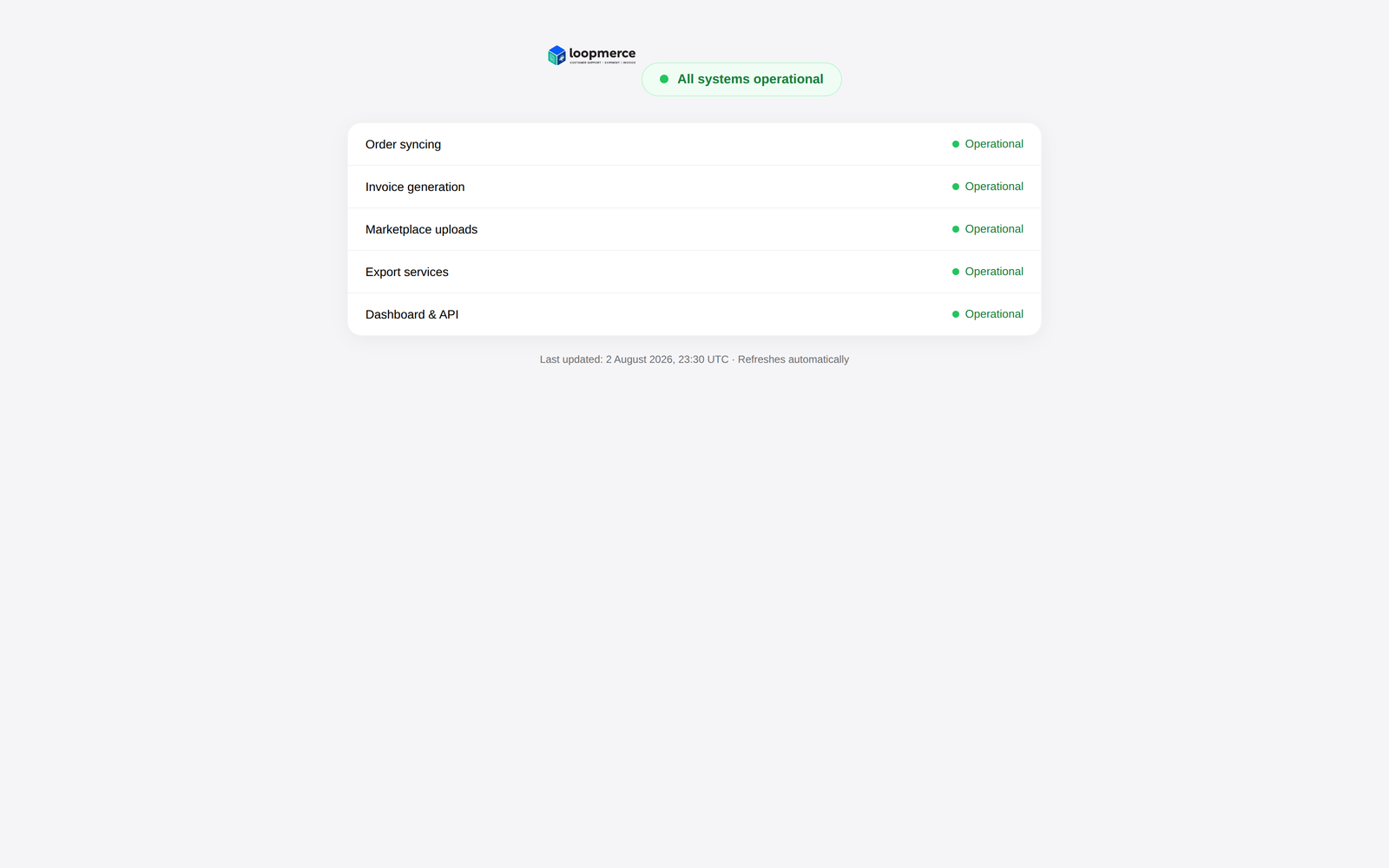
Check the current status of order syncing, invoice generation, marketplace uploads and export services.

Live system status page showing order sync, invoice generation, marketplace upload and export services
Automatic sync-failure email alert with the affected marketplace, failure time and recommended action
Set up once

Connect the marketplaces and let the invoice workflow run.

1
Connect

Connect

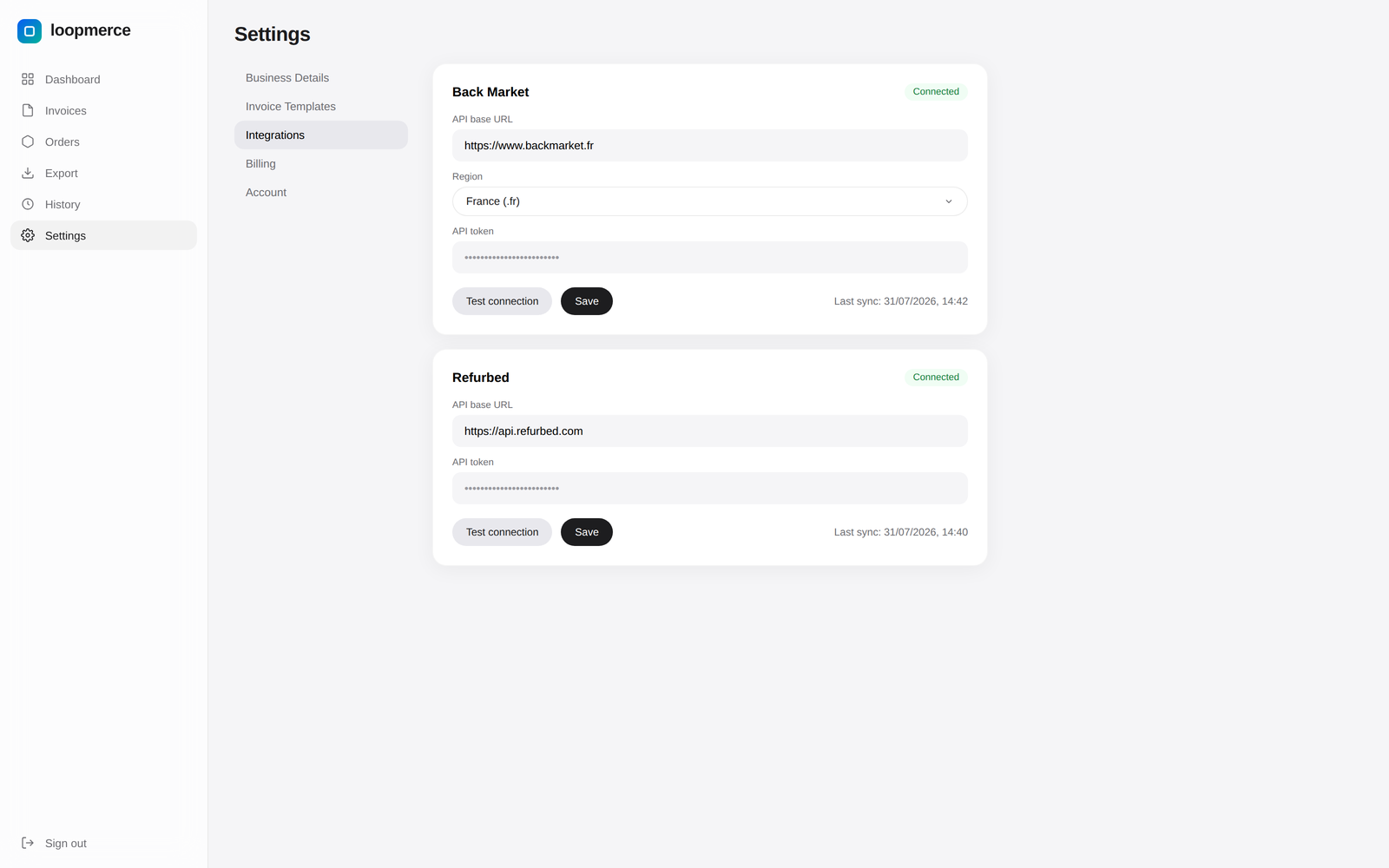
Add the Back Market and Refurbed API credentials in Settings. Setup takes only a few minutes.

Back Market and Refurbed marketplace connections in Settings
2
Sync

Sync

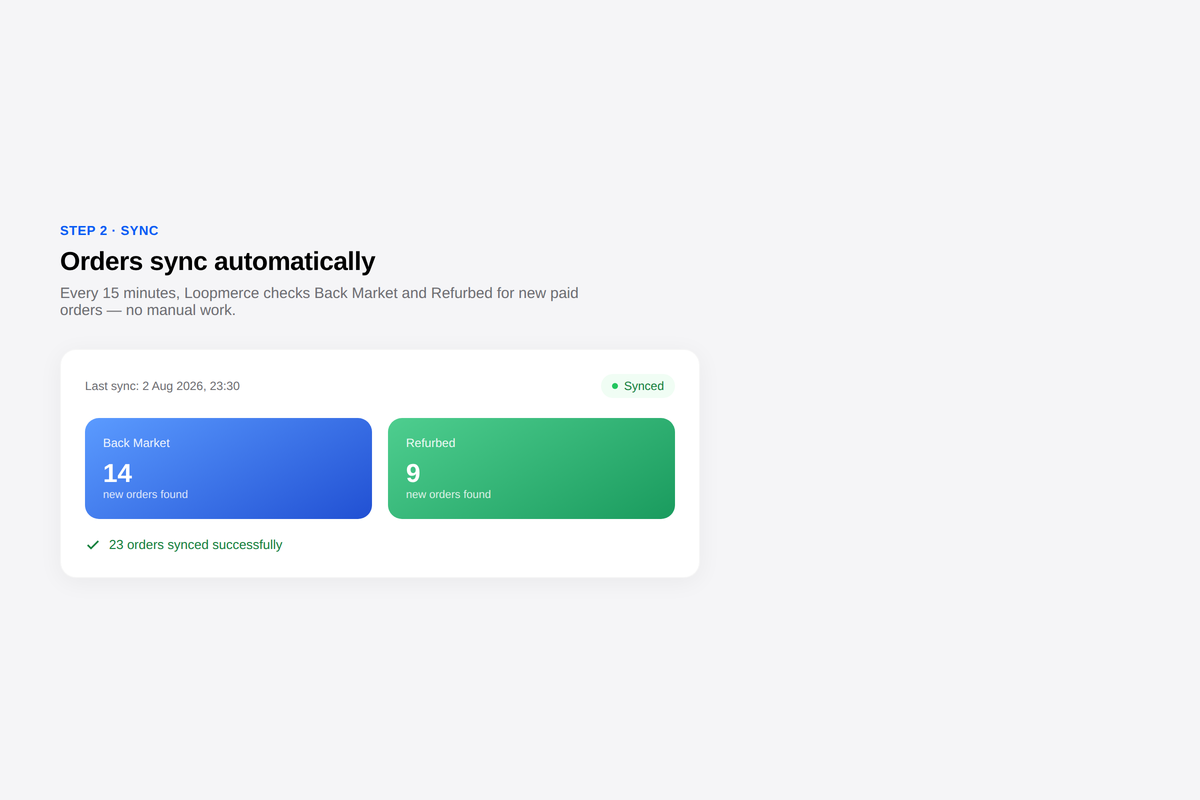
Loopmerce checks for new orders automatically every 15 minutes.

Automatic marketplace sync every 15 minutes
3
Generate & upload

Generate and upload

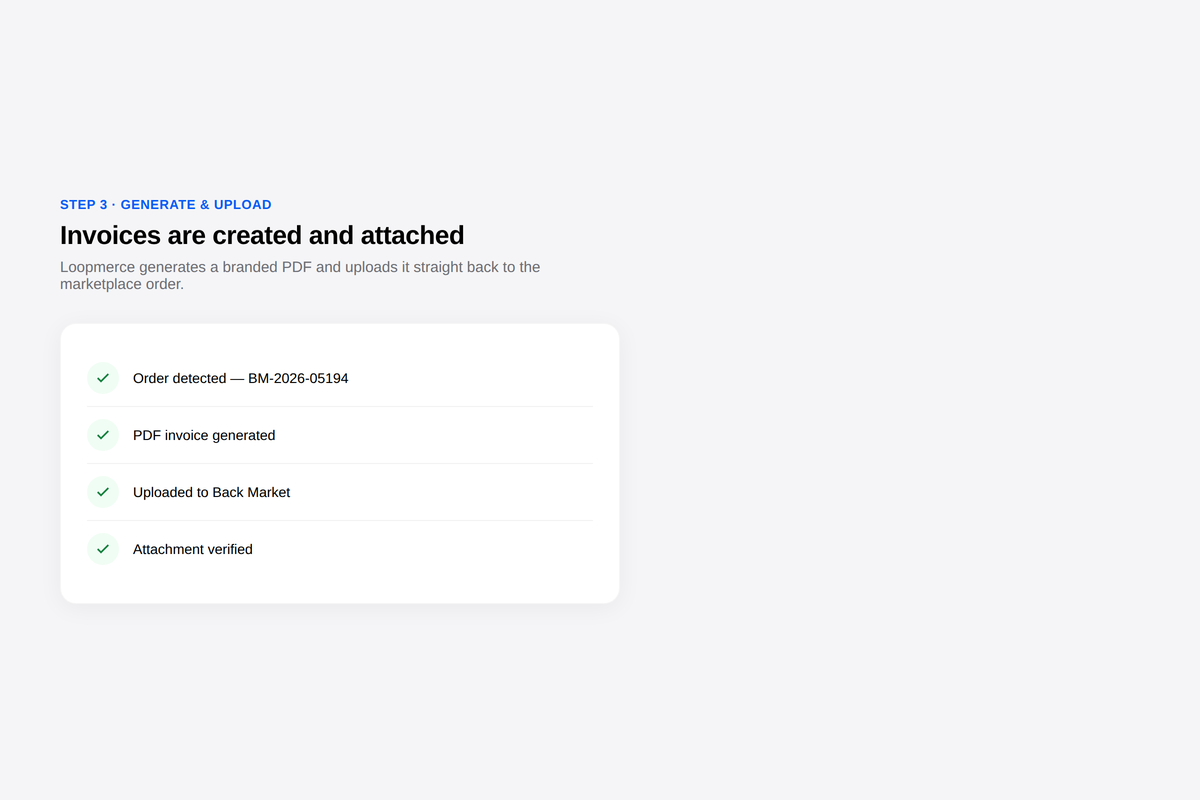
The branded PDF invoice is created, uploaded to the marketplace order and verified.

Branded invoice generated, uploaded and verified
4
Handle returns

Handle returns

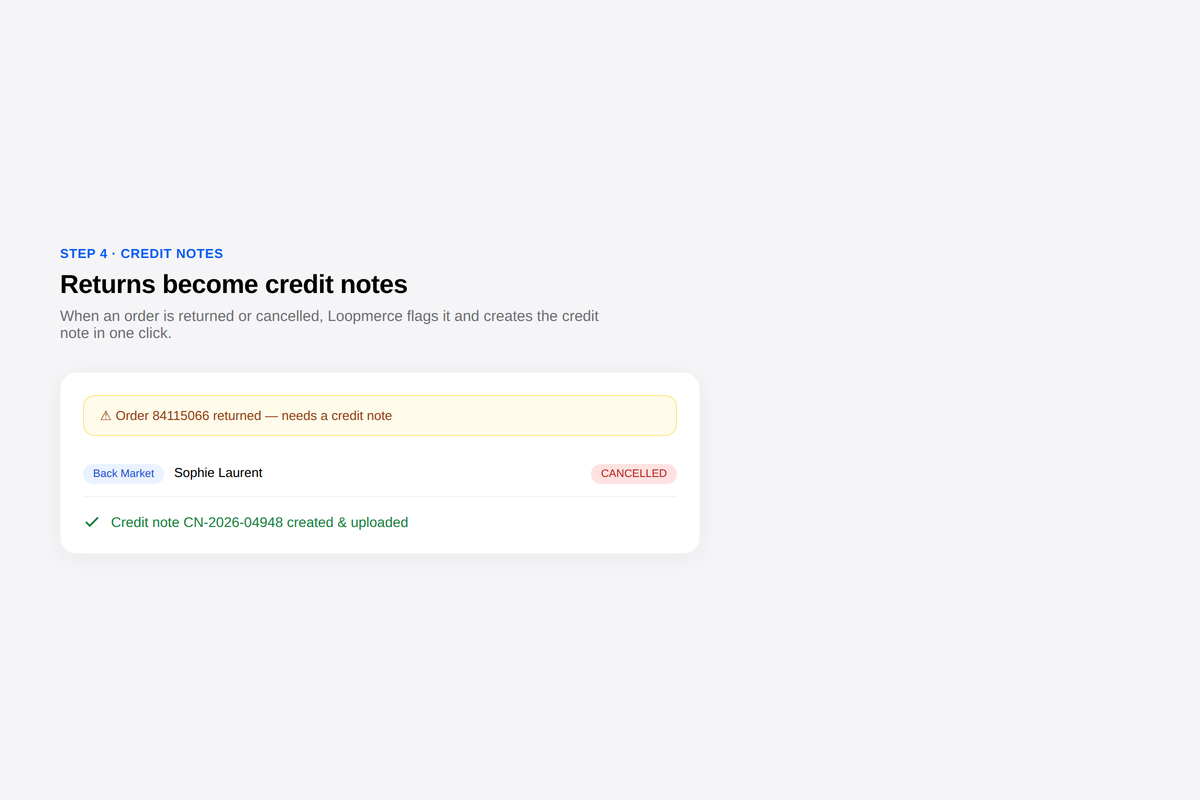
Returned, refunded and cancelled orders are identified so credit notes can be created individually or in bulk.

Returned order flagged so a credit note can be created
Secure by design

Marketplace credentials stay encrypted and every account stays isolated.

Loopmerce stores marketplace API credentials encrypted at rest and keeps each seller's data isolated from every other account.

  • Encrypted credentials at rest
  • Per-account data isolation
  • Email verification
  • Password reset
  • Google sign-in
  • Secure sessions
  • Self-service account deletion, 30-day grace period
  • Automated backups
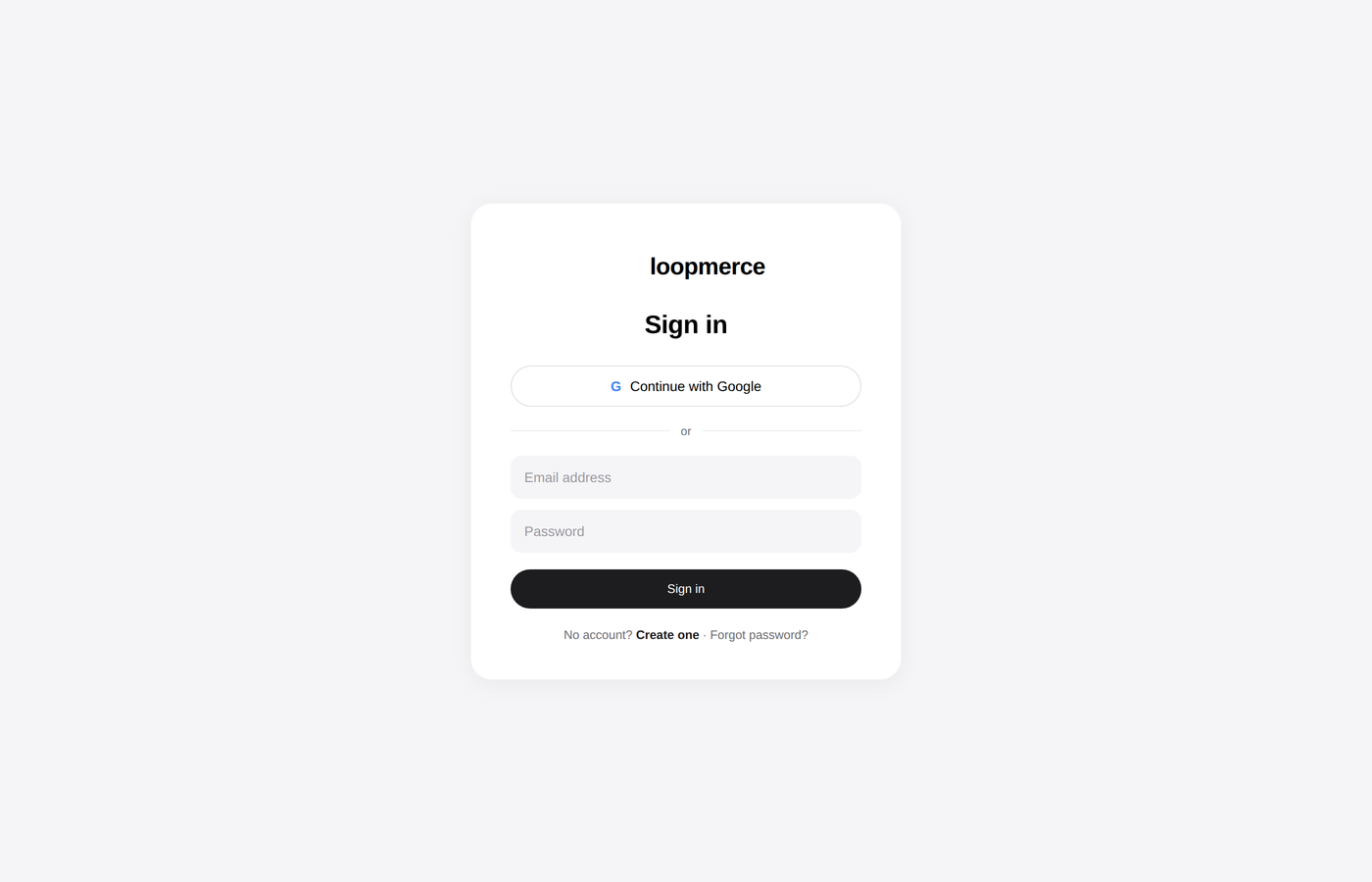
Loopmerce Invoicing secure sign-in
Built for marketplace sellers

For teams that have outgrown invoice-by-invoice admin.

High-volume sellers

Businesses processing enough Back Market or Refurbed orders that manual invoice generation no longer scales.

Operations teams

Teams that want invoice creation and marketplace uploads to happen without another repetitive task.

Finance teams

Staff who need searchable records, clean exports and a reliable monthly document trail.

Seller-founders

Marketplace sellers who want to remain compliant without hiring additional staff just to create and upload invoices.

Built by a marketplace seller, for marketplace sellers.

Simple usage-based pricing

No monthly fee. Pay only for the invoices you generate.

Start with 50 invoices free, then pay €0.10 for each additional invoice. Credit notes remain free, and there is no setup fee, minimum commitment or pricing tier to choose.

Loopmerce Invoicing
Freefor your first 50 invoices
First 50 invoicesFree
After that€0.10 per invoice
Credit notesAlways free
Monthly base feeNone
  • Billed monthly
  • Charged automatically
  • No setup fee
  • No minimum
  • Cancel any time
  • Card required only after the first 50 invoices
Start with 50 free invoices

Pricing follows your actual invoice usage. There is no monthly base fee, minimum commitment or pricing tier.

FAQ

Questions, answered.

Back Market and Refurbed are supported today.
Setup takes a few minutes. Add the marketplace API credentials once and Loopmerce begins syncing.
No. The seller connects the account in Settings and the invoice workflow runs automatically.
Loopmerce checks for new orders every 15 minutes.
Yes. After generation, the invoice is uploaded and the attachment is verified.
Loopmerce detects returned, refunded and cancelled orders and identifies which invoiced orders require a credit note.
No. Credit notes are always free.
The first 50 invoices are free. After that, invoices cost €0.10 each and are billed monthly. There is no monthly base fee.
Yes. Export a CSV summary or a ZIP of PDF documents for any selected date range.
Loopmerce sends an automatic email alert so the seller knows that the connection requires attention.
Marketplace credentials are encrypted at rest, account data is isolated and the platform uses automated backups.
Yes. There is no monthly subscription commitment, and account deletion is available with a 30-day grace period.
Start invoicing on autopilot

Generate the invoice. Upload it. Keep the record.

Connect Back Market and Refurbed, let Loopmerce process new orders every 15 minutes and begin with your first 50 invoices free.

No card required for your first 50 invoices. Credit notes are always free.